An online-only instruction can leave a resident unable to pay, sign, or report a repair. Ask which task is blocked before prescribing another app.
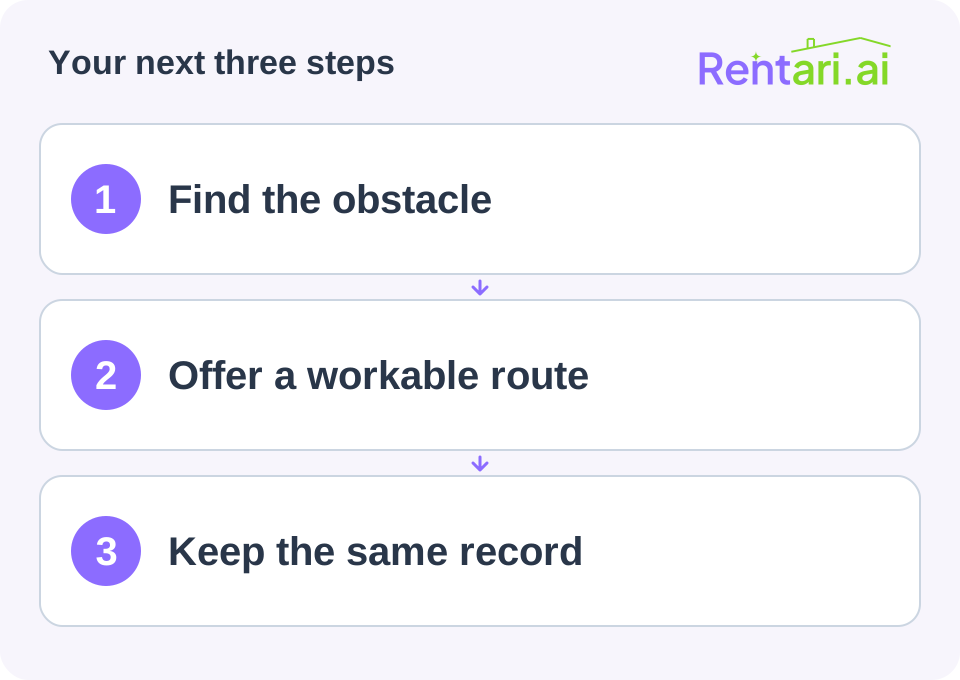
Identify the practical barrier
The issue may be email access, device availability, language, accessibility, account recovery, or an unsupported payment method. Do not ask for passwords or take control of private accounts.
Discuss the specific task and preferred contact route. Handle accommodation requests through the appropriate process.
Verify an alternative
Check which lawful alternatives your lease, provider, and operations can actually support. Confirm fees, receipt handling, delivery requirements, and who will help.
For documents, provide a reviewed signing alternative. For payments, explain the supported method and how confirmation is issued. For repairs, make the emergency contact route clear even when the portal is unavailable.
Preserve one accurate history
Record transactions and communications in the same controlled tenancy file, regardless of channel. Avoid making offline residents invisible to the team or charging unreviewed extra fees for assistance.
Walk through the agreed method and ask the resident to confirm understanding. Keep instructions short and accessible.
The objective is a reliable way to complete the task. The portal is one tool, not evidence that the person has received documents, made a payment, or obtained help.
Continue with a related task
- A Clear Signing Sequence for a New Tenancy
- Move-In Readiness Checklist for People, Paperwork, and Access
Test the resident's real task
Before asking a resident to try another portal, walk through the task that matters. A feature name is not evidence that the resident can finish it.
- Payments: find the balance, supported method, fee and confirmation. Distinguish a payment record from a bank payout. Rentari online collection requires a paid plan, verification and payment setup. Autopay requires tenant authorization.
- Repairs: check how to describe the issue, attach available photos and follow its status. A maintenance chat draft must be reviewed and submitted before treating it as a filed request. Keep the human emergency route available.
- Documents: locate the current executed agreement and retain a copy. Confirm the supported signing route rather than assuming every task is available inside an app.
- Messages: agree on the trusted contact channel, notifications and who checks replies. Keep important communication in the tenancy record.
See Rentari's payment setup, Luna's reviewed assistance and current app availability. App tasks depend on the role, property, plan and installed version; some steps use the website. Rentari provides software and written guides. It does not provide licensed property management or tenant placement.
Compare the portal you will use
Rentari: confirm the resident can reach the rental records and available tasks in their own account. Check current plans, payment setup and the installed app before relying on a workflow. An assistant's answer needs review when dates, amounts or lease terms matter.
TurboTenant: its current tenant portal guide describes payments, maintenance, documents, insurance and messages, with features depending on the landlord's setup. Its guide says payments can be absent when collection is not enabled and messages can differ for its property management service.
Compare the task, support route and total cost you will actually use. Account creation, a downloadable app, transaction charges and an optional service are separate decisions. Avoid assuming that a phone is available, that downloading an app enables payments, or that a portal replaces a reviewed signing alternative.
Tenant portal questions
Is a portal useful for one rental?
It can be useful when it keeps the resident's tasks and records reachable. With one rental, test the same payment, document, repair and communication steps and weigh the actual cost and support effort.
Is a portal the same as a mobile app?
A portal is account access; an app is one way to reach supported tasks. Confirm the browser alternative and the installed version. Do not assume that every website task is available in the app.
How should I check access and security?
Use the provider's current account and recovery guidance. Keep each person's credentials private, verify trusted contact routes and share only the information needed. A portal description alone does not establish a security guarantee.
How should I compare the cost?
Check the current plan, unit limits, payment setup, transaction fees and optional services before choosing. Rentari online rent collection requires a paid plan and completed setup; confirm the fee amount and payer before payment.