Rent at a glance
Sep 202675%paid
Total rent due$12,000
- Paid$9,000
- Upcoming$1,800
- Past due$1,200
Online rent collection for landlords
Give tenants ACH, card payments and opt-in autopay. Keep rent balances, recorded payments and deposits connected to the rental.
From $120/year for up to 10 units. Payment fees apply.
Create an account free. A paid plan and payment setup are required for online collection.
Start with your rental and lease. Prime covers up to 10 units for $120 a year.

Rent payment received
104 Maple Street · Unit 2
Springfield, IL 62704 · Sep 24 Checking ••4821
Built around the way rentals work
Keep the lease, the tenant and the balance together. Set up collection once, then follow the month from your payment workspace.
Add your property, unit, tenant and rent so the payment record has the right context.
Choose a paid plan, connect the receiving account and complete the required verification.
Review rent balances and recorded payments, then follow payout status separately.
For landlords
Open one payment workspace to understand the balance and decide what to do next.
April to September 2026
Recent rent activity
Springfield, IL 62704
Sep 24 · ACH bank transferSpringfield, IL 62704
Sep 30 · Rent dueSpringfield, IL 62704
Sep 5 · Rent dueChecking ••4821 Checking ••9072
In transit means it has not reached the bank yet.
Online payment availability depends on account setup and eligibility.
Tenants authorize autopay for eligible fixed monthly rent.
The payment summary confirms the exact fee and who pays it.

For tenants
Make the balance and payment options easy to find, with the details visible before your tenant confirms.
Tenant payment access depends on the landlord's paid plan, completed payment setup and lease configuration.
Rentari does not report rent payments to credit bureaus. If you are considering a separate service, see our guide to provider availability, fees, consent and disputes.
Rentari versus payment apps
Compare Rentari with each service for payment costs, account eligibility and rental records.
Collect rent with Rentari
From the rent balance to the bank deposit
$120/yearFor up to 10 units
Online collection requires a paid plan and completed verification and payment setup. ACH $6 per payment; cards 3.49%. The landlord selects the fee payer; confirm the amount and payer before payment. See fees and plans →




Check the account and workflow you will actually use
Rentari: Rentari links ACH or card payments to rental charges, balances and payment records. Online collection requires a paid plan and completed setup; autopay requires tenant authorization.
Venmo: Venmo business profiles currently charge the recipient 1.9% + $0.10 for payments of $1 or more made directly from a Venmo account. Tap to Pay uses a different rate. Venmo separates outbound-payment and bank-transfer limits and does not set a business-profile receiving cap, although payments can still be declined. Check the permitted account and reconcile each receipt with the rental period.
Rentari: Rentari keeps rental charges, remaining balances and payment status together, with bank deposits tracked separately. Recording an outside payment updates the rental record and does not send or receive money.
Zelle: Zelle business use depends on whether your financial institution offers it for your actual business-account type. Ask that institution about receiving and sending limits and fees. Verify the recipient before payment, then match the transfer to the resident, property and rent period; consumer-account availability does not establish business eligibility.
Rentari: Rentari offers rental-charge and balance records, reminders and separate payment and payout tracking. Its paid plan and payment fees are shown below, with the selected payer confirmed before payment.
PayPal: PayPal publishes different US commercial, invoicing and withdrawal rates by product, method and currency. For example, its US domestic invoicing Pay by Bank (ACH) rate is 1%, capped at $10 per transaction; that is not a universal PayPal rate. Confirm eligibility, receiving and withdrawal costs, adjustments and how receipts or exports reach your rental records.
Rentari: Rentari links payments and outside-payment records to the rental, while keeping charge balances and bank deposits distinct. An outside-payment entry records money already received elsewhere and does not move funds.
Cash App: Cash App business-account processing fees are disclosed when you open, use or switch the account, with payments less fees deposited into the Cash App balance. Eligible sole proprietors may instead enroll in Earn in P2P; registered entities are excluded from that option. Verify current eligibility, permitted use, limits and transfer costs, and retain receipts for reconciliation.
Fees, limits and features depend on the service, account and bank. Verify recurring options, authorization, support and exports for each pair.
Compare payment costs and the complete rental workflow. Third-party marks identify the services shown; no provider integration or guaranteed settlement is implied.
Clear pricing, before you start
Online rent collection is included with a paid plan. Payment platform fees are charged separately.
Covers up to 10 units. Collection and autopay included.
$120 covers the first 10 units. Each additional unit is $24/year.
Enter a whole number from 1 to 100,000.
Estimate for a new annual subscription, before applicable taxes and optional add-ons. Existing subscription terms may differ.
Paid-plan landlords choose the fee payer in payment settings. The exact amount and payer are confirmed before payment.
Returned-payment or reversal fees may also apply.
Account creation is free. Online rent collection and autopay require a paid plan, completed verification and payment-account setup.
Keep the rest of the work connected
Explore the Rentari tools around rent collection. Feature access depends on your plan.

Keep rental income and expenses in view.
Keep costs connected to the property.
Prepare the terms and complete the paperwork.
Follow repair requests and the next steps.
Review the information behind an application.
Keep rental records within reach.
Rentari on the go
Keep your rentals close, wherever the day takes you. Follow rent, check a lease and stay on top of repairs from your phone or desktop.
For iPhone and Android
Free to download. Plan features and payment fees apply.
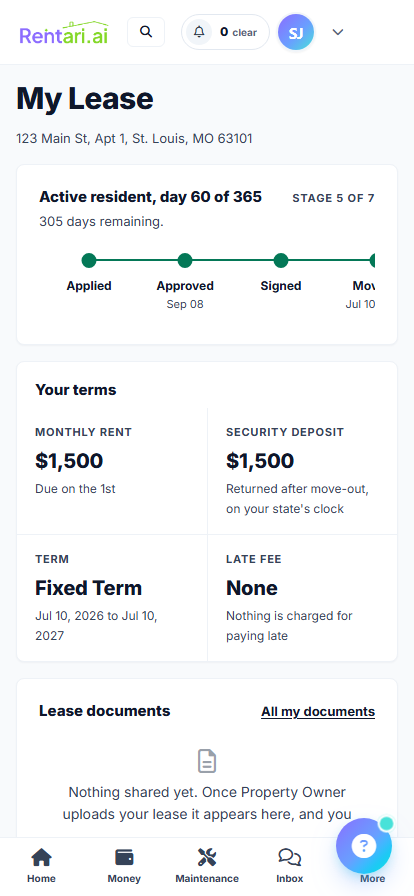
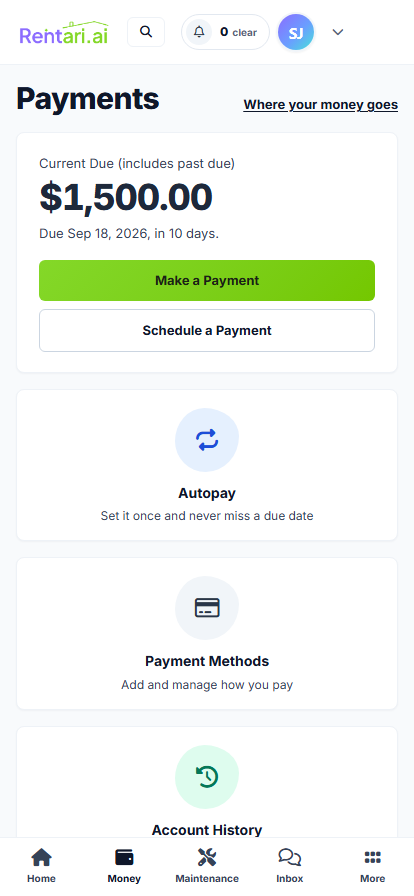
Good questions before you collect
Create your account, add the rental and lease details, select a paid plan, and complete payment-account setup and verification. Online collection becomes available when the required checks are complete.
No. Creating an account is free, but online rent collection and autopay require a paid plan. Prime is $120 a year for up to 10 units, with payment fees charged separately.
Tenants can authorize autopay for eligible fixed monthly rent. Leases billed as individual charges do not use this monthly-rent autopay flow.
Only when the lease permits a partial payment and the payment form offers an eligible amount. Check the remaining balance with the landlord. A partial payment does not automatically split one rent charge among roommates.
Rentari checks configured late-fee policies against overdue rent and the lease's grace period. Co-pilot presents an eligible fee for approval. Autopilot can apply it only when the owner has enabled that action. The amount is checked against the lease and applicable limits when applied. Review the lease terms and current local rules before enabling a fee.
Paid-plan landlords choose the fee payer in payment settings. The platform fee is $6 per ACH payment or 3.49% on a card payment. The payment summary confirms the exact fee and payer before payment.
Stripe processes supported Rentari rent payments. Rentari uses payment references and status updates to keep the rental ledger in sync. Read the current payment-processing and security details. A payment record or receipt does not confirm that a payout has reached the landlord's bank.
Timing depends on verification, payout approval, account history and bank processing. New accounts generally need at least 7 days of account history before automatic payouts can begin. First payouts and accounts under review may take longer. A payment marked paid does not guarantee that funds have reached the bank.
Configured delays after automatic-payout approval: under 30 days of account history: 7 days; 30 to 89 days: 4 days; 90 days or older: 2 days. These delays are not guaranteed bank arrival times.
Yes. Record offline payments in the payment workspace to keep the rental's balance up to date.
Yes, when the landlord has enabled partial payments for that lease. If partial payments are off, the tenant portal requires the full payable balance. Ask the landlord what the lease and payment settings allow.
Tenants can review account history in the tenant portal and open or download a dated receipt when one is available for a completed payment. A receipt records the payment; it does not confirm that a payout has reached the landlord's bank. Landlords can follow payments and balances from their payment workspace.
Choose a cutoff date and reconcile each rental's opening balance, credits, received payments and pending transfers. Check existing charges before adding a Monthly or One-time charge; confirm the rental, amount, due date and first charge period so the same rent is not charged twice. Follow the rent-record migration guide and charge setup instructions.
Complete the paid-plan payment setup and required verification, then explain the change, payment methods, selected fee payer and support route to residents. Tenants authorize eligible monthly autopay in their own account; saving a payment method or changing a collection preference does not enroll them. Confirm the old payment arrangement has ended before starting a new one. See collection setup and tenant autopay instructions. Review the lease and current local rules before configuring a late-fee policy; saving a policy is separate from applying a fee.
Open the original payment record and check its reference, amount, rental period and latest status. A tenant payment, an outstanding rent balance and a payout to the landlord's bank are different records. If a debit is pending or the bank shows money leaving while the portal shows an error, preserve the reference and dates and ask for reconciliation before attempting another payment.
Use the tenant payment troubleshooting guide for an eligible correction, or the missing bank deposit guide for payout tracking. Complete any verification request only through the provided secure flow. Share relevant references and masked account details with support; never send passwords, bank login credentials or identity documents by email. Read the payment-security details.
Use the charge instructions to create a one-time Security deposit charge for the correct lease and tenant. A saved charge records an amount owed; it does not collect or verify funds.
Follow the deposit-return instructions. An online refund needs an eligible original deposit payment that can cover the full return. Review return prepares the calculation; Processing does not confirm completion. For a manual return, pay the tenant separately before recording its method, reference and date. Check the applicable holding, deduction, itemization, delivery and deadline requirements for the property.
Review the signed terms and applicable notice and rent-change requirements using the renewal guide. Confirm the agreed amount and effective date before updating future billing; changing a setting does not prove notice or complete an amendment.
Review existing charges and the renter's authorized autopay separately. Already processing or paid payments are not rewritten by a new rent setting. A recurring landlord charge is different from a tenant's autopay instruction; tenants manage their own authorization.
Compare Rentari vs TurboTenant, Rentari vs Avail, Rentari vs RentRedi or Rentari vs Apartments.com using the same lease, charge and payment cycle. Verify the current plan, subscription and transaction charges, fee payer, payment methods, authorization, partial-payment controls, returns, payout tracking and exports.
Inspect the saved balance, actual payment and bank deposit separately. Partial payments do not establish automatic roommate shares or allocation under the lease. A free account, comparison page or paid subscription does not establish that an account is eligible or a particular transaction has completed.
No. A payment record or receipt in Rentari does not mean the payment was sent to a credit bureau. Rentari rent reporting is not available yet; check the current reporting status.
Create your account, add your rental and get ready for online collection.
Related resources

Check the account balance, understand the difference between a reminder and a formal notice, and keep a clear record.
Read guide (opens a new tab)
Keep the amount, date, property and supporting receipt together so missing items and duplicates are easier to find.
Read guide (opens a new tab)
Explore Rentari’s weekday briefing: rent collected, recent activity and the items that need your attention.
Read news (opens a new tab)