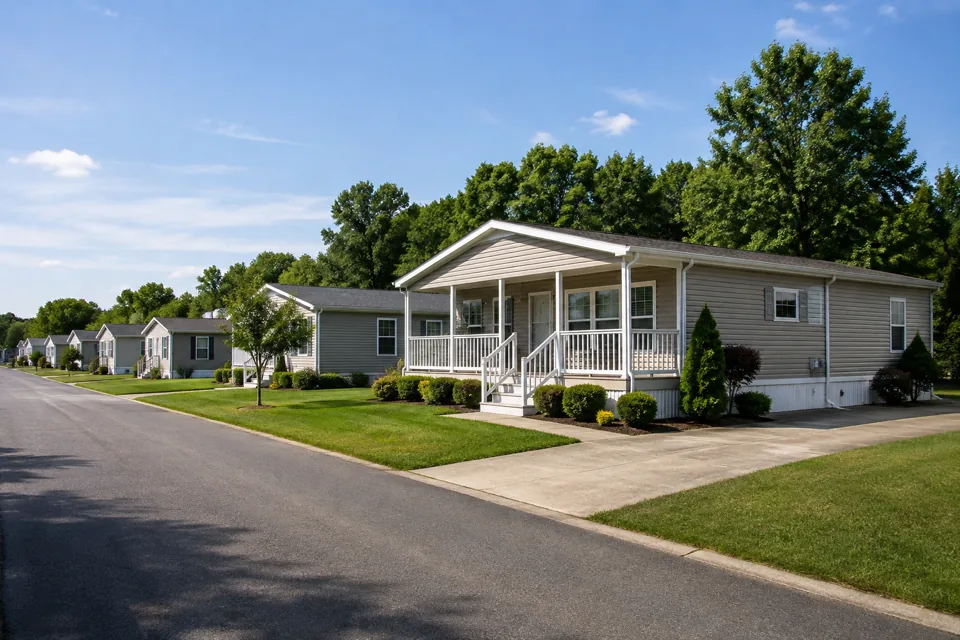
Find the right rental quickly
Organize properties and units so your next task starts with the correct rental record.
Mixed portfolios
Different rentals bring different details. Keep property records, rent activity and owner reports connected, with a clear path from the wider portfolio to the home behind the numbers.
 THE PROPERTY AT THE CENTER
THE DETAILS THAT MAKE THE DIFFERENCE
Organize properties and units so your next task starts with the correct rental record.
Review lease charges and payment activity with the relevant property and tenancy in view.
Choose the property scope and dates, then review the underlying records before sharing an owner report.
See the work, step by step
Follow the rental journey in Rentari. Choose a chapter or play the walkthrough. Product screens use sample data; illustrated steps explain the workflow.
Step 1 of 3
Start with the property overview. Match the unit and tenancy to the work you need to do.
Add and organize properties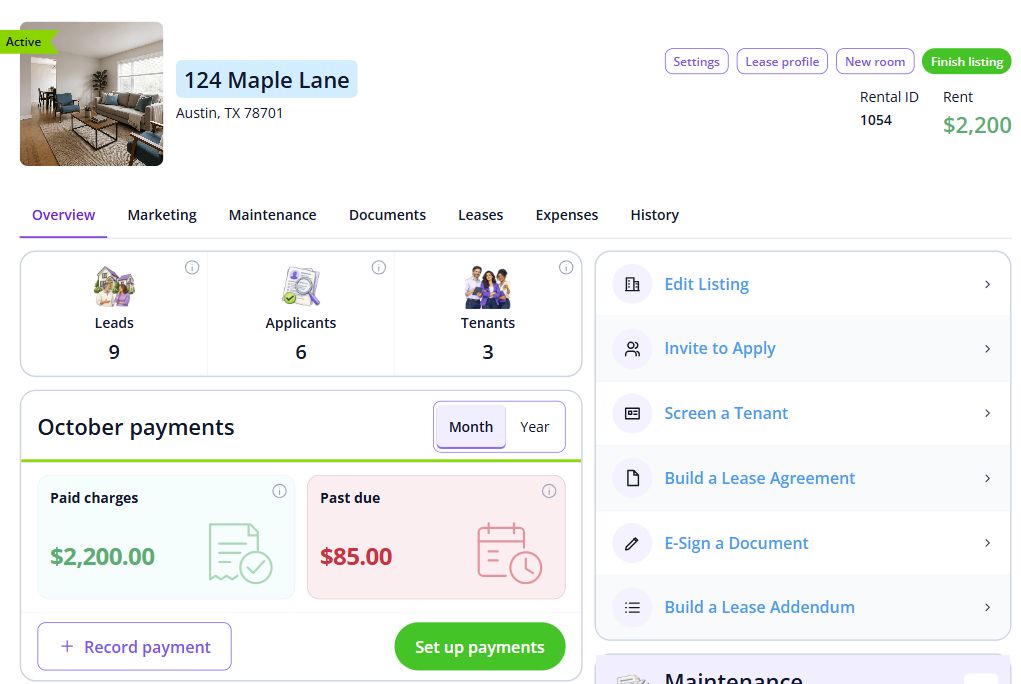
Step 2 of 3
Inspect the relevant lease and payment activity. Keep an outside payment separate from a payment still processing online.
Review charges and payments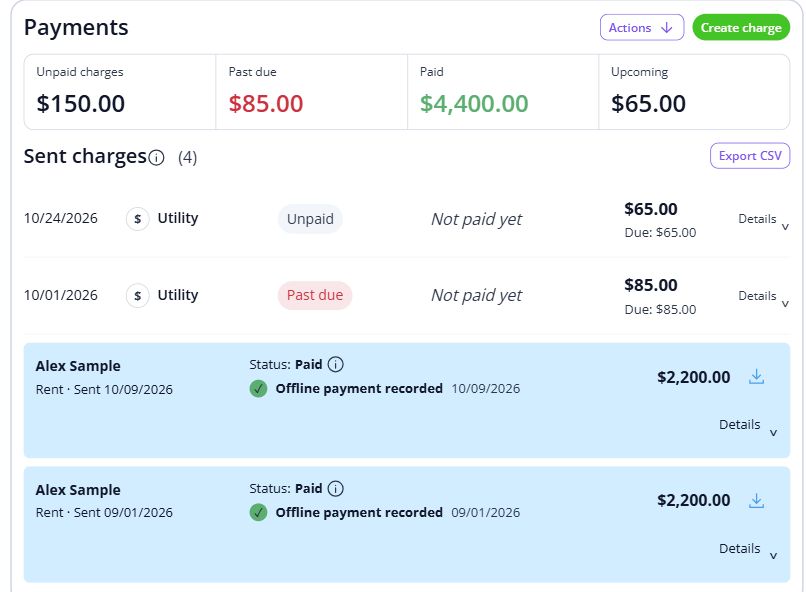
Step 3 of 3
Choose the reporting period and property scope. Review the underlying records before sharing a report with an owner.
Run owner reports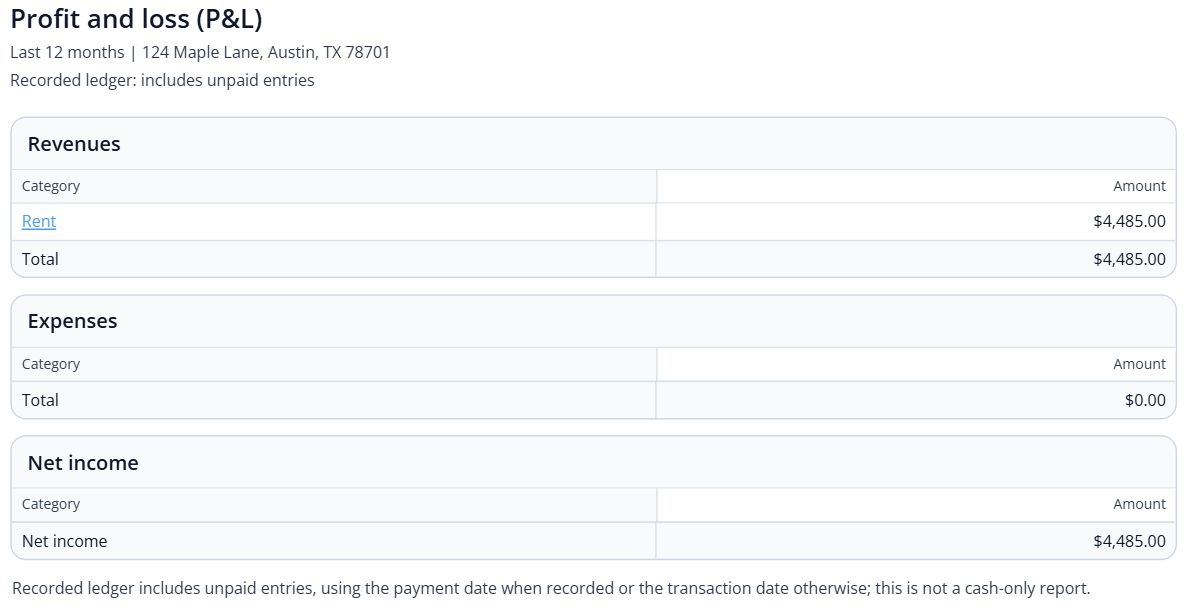

BEHIND EVERY PROPERTY, PEOPLE
Keep the character of each property in view as your portfolio grows. Keep the records and everyday conversations connected, so the next person has the context they need.
Built around your portfolio
For owners who need a shared view of different rental properties and property-level records.
Explore the sample workspaceTest the agreement and charge structure for each rental type. Confirm specialized commercial requirements before migrating that part of your portfolio.
Discuss your requirementsStart with one property
Have these details ready: property and unit register; opening balances by lease; reporting periods and owner details.
 01
01Add the property and units, then check their details before bringing in residents.
Property setup guide 02
02Review the agreements, opening records and payment readiness for the first tenancy.
Review lease setup 03
03Invite residents once the records are ready, and show them how to find rent, documents and repairs.
Tenant invitation guideHelp, right when you need it
Open a step-by-step article with product guidance.
Keep each property and its units in their own records. When reviewing reports, check the property scope and date range so the output covers the rentals you intended.
Gather property and unit register, opening balances by lease, reporting periods and owner details. Start with one property, check the records, and then bring in the rest of your portfolio.
No. It uses product screens with sample data. Open the linked Help guides for the steps to follow in your own account.
Review the current pricing page for unit limits, included tools and any payment or screening fees. Check the workflows you need before choosing.
See plans and feesExplore your options
Your next step
Start with one property and a workflow you can see.