Bring inquiries into focus
Review prospect questions alongside rental information and confirm your reply before sending it.
Student housing
Give busy leasing seasons a clear sequence: inquiry, application, lease review. Keep rental details connected as students prepare for their next chapter, and confirm specialized contract requirements before rollout.
 THE PROPERTY AT THE CENTER
THE DETAILS THAT MAKE THE DIFFERENCE
Review prospect questions alongside rental information and confirm your reply before sending it.
Check screening status and follow up on missing information before deciding on an applicant.
Review residents, dates, attachments and required signers. Confirm by-bed leasing or guarantor needs with the team.
See the work, step by step
Follow the rental journey in Rentari. Choose a chapter or play the walkthrough. Product screens use sample data; illustrated steps explain the workflow.
Step 1 of 3
Review a prospect’s question in the leasing inbox alongside the rental information. Confirm the reply before sending it.
Prepare the rental listing
Step 2 of 3
Review the screening status and applicant information. Follow up on missing information before making a decision.
Understand waiting screening requests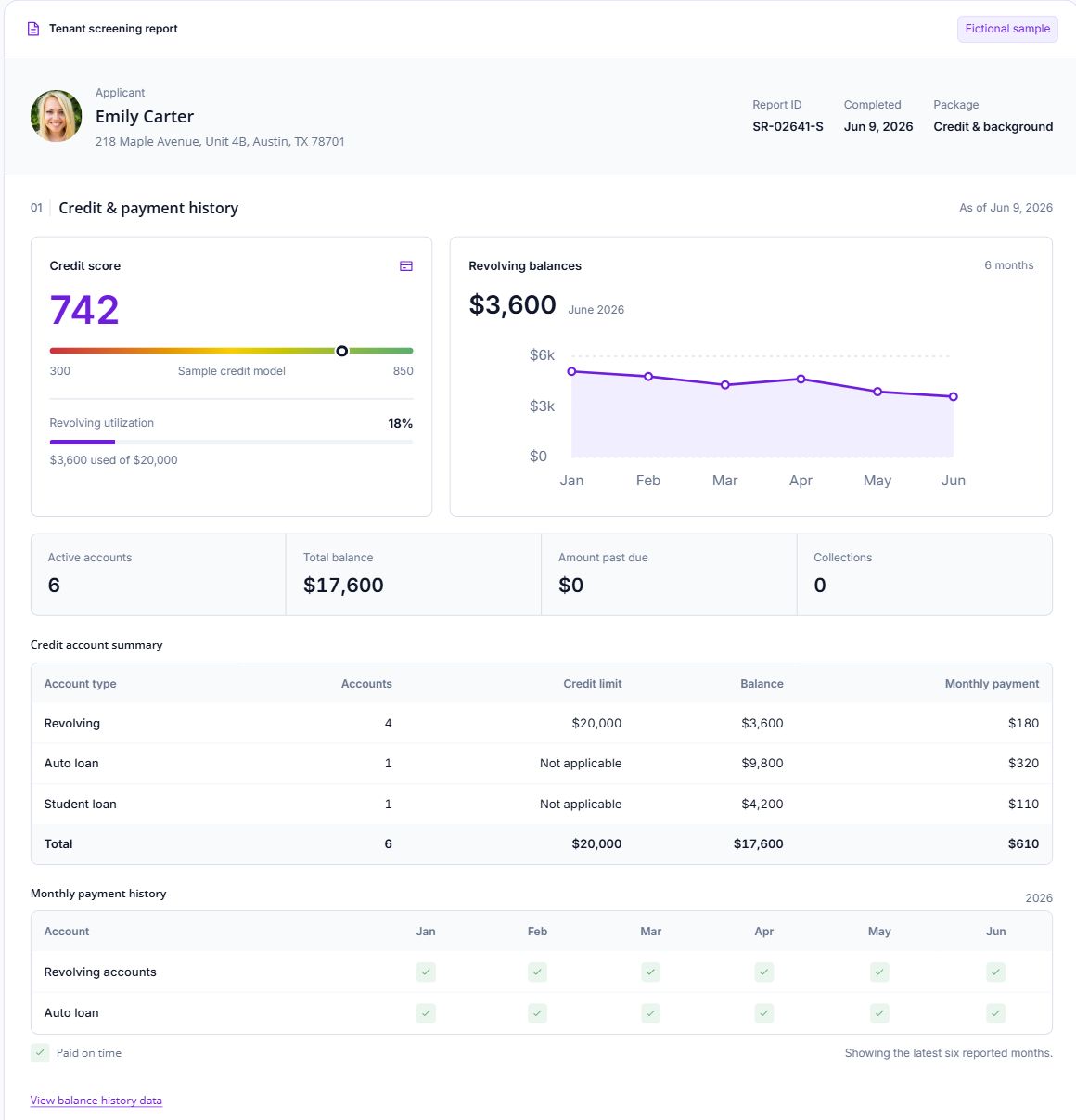
Step 3 of 3
Review the residents, lease dates and attachments in the agreement. Confirm all required signers before the signing step.
Send a lease for signature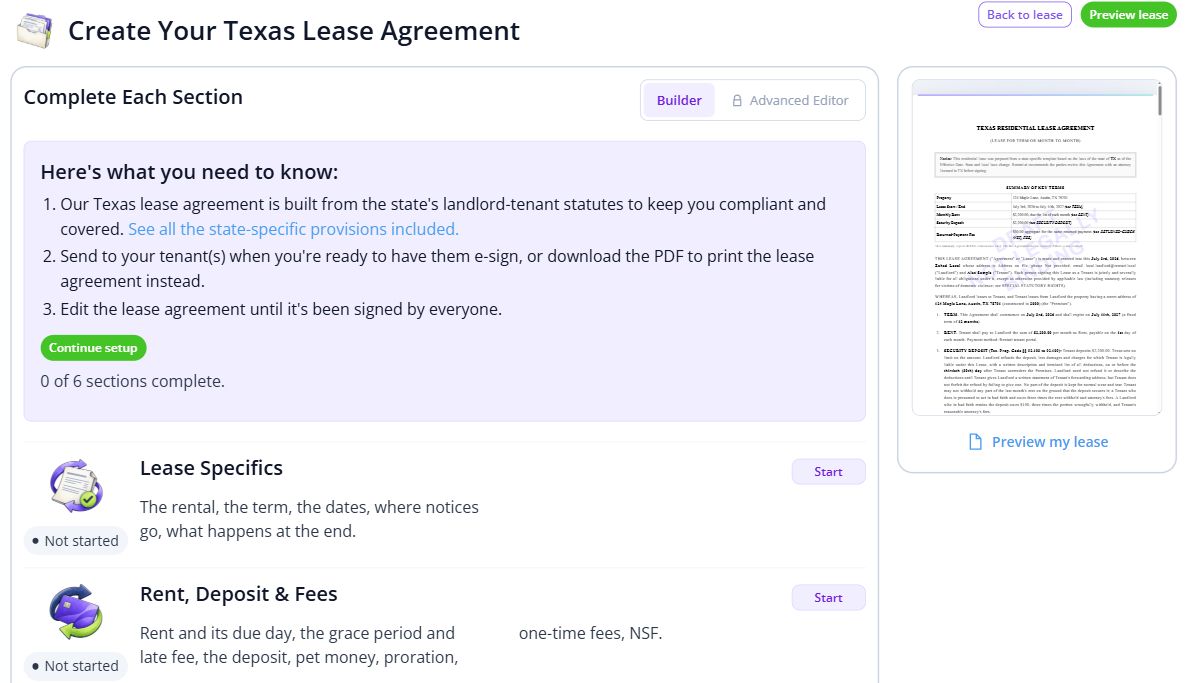

BEHIND EVERY PROPERTY, PEOPLE
New roommates, busy calendars, and a place to find their own rhythm. Keep the records and everyday conversations connected, so the next person has the context they need.
Built around your portfolio
For landlords handling seasonal student rental inquiries, applications and lease paperwork.
Explore the sample workspaceIf you lease by the bed or require guarantors, confirm the exact roommate, signer and charge structure before inviting applicants.
Discuss your requirementsStart with one property
Have these details ready: upcoming availability dates; resident and signer requirements; move-in information and house rules.
 01
01Add the property and units, then check their details before bringing in residents.
Property setup guide 02
02Review the agreements, opening records and payment readiness for the first tenancy.
Review lease setup 03
03Invite residents once the records are ready, and show them how to find rent, documents and repairs.
Tenant invitation guideHelp, right when you need it
Open a step-by-step article with product guidance.
Start by checking your required residents, signers and charge allocation with our team. The example demonstrates a rental application and lease workflow; it does not establish support for every student-housing contract structure.
Gather upcoming availability dates, resident and signer requirements, move-in information and house rules. Start with one property, check the records, and then bring in the rest of your portfolio.
No. It uses product screens with sample data. Open the linked Help guides for the steps to follow in your own account.
Review the current pricing page for unit limits, included tools and any payment or screening fees. Check the workflows you need before choosing.
See plans and feesExplore your options
Your next step
Start with one property and a workflow you can see.