Connect the tenancy details
Keep the unit, current charges and payer information aligned with the tenancy documents.
PHA and Section 8
Keep the landlord's side of a voucher tenancy connected. Organize lease details, tenancy documents and received payments while following your housing authority's separate submission and inspection requirements.
 THE PROPERTY AT THE CENTER
THE DETAILS THAT MAKE THE DIFFERENCE
Keep the unit, current charges and payer information aligned with the tenancy documents.
Store relevant documents together and choose which records remain private or shared.
Compare payment activity with payer records and record outside payments after receipt.
See the work, step by step
Follow the rental journey in Rentari. Choose a chapter or play the walkthrough. Product screens use sample data; illustrated steps explain the workflow.
Step 1 of 3
Open the correct unit and review the lease’s current charges. Match payer information to the tenancy documents.
Review the rent record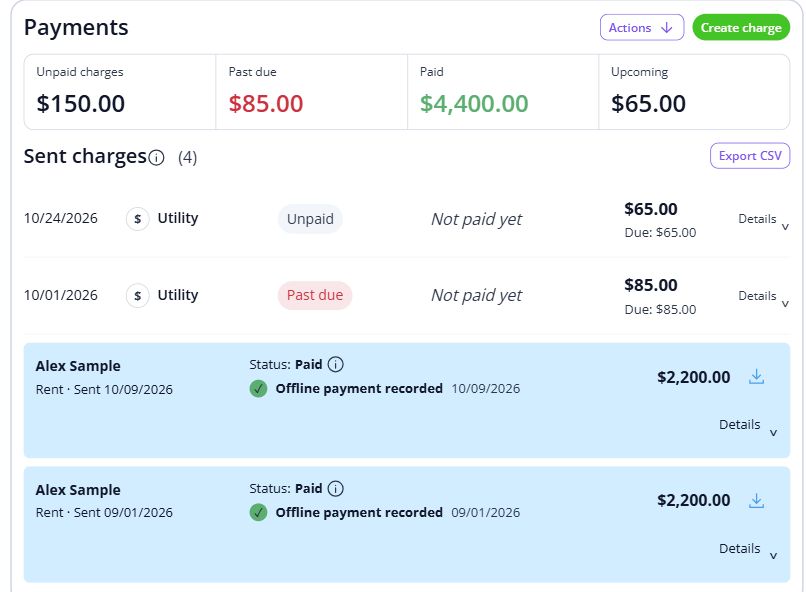
Step 2 of 3
Store relevant tenancy documents and check whether each should remain private or be shared.
Organize tenancy documents
Step 3 of 3
Compare the payment activity with the records supplied by the payer. Record money received outside Rentari only after it is actually received.
Record an outside payment
BEHIND EVERY PROPERTY, PEOPLE
Bring care and clarity to the landlord side of a household's move. Keep the records and everyday conversations connected, so the next person has the context they need.
Built around your portfolio
For landlords working with a housing authority on voucher-assisted rentals.
Explore the sample workspaceConfirm the authority’s document, inspection and submission requirements. This page describes the landlord’s records, rather than an authority’s administrative system.
Discuss your requirementsStart with one property
Have these details ready: authority and tenancy references; approved rent and payer details; current tenancy packet.
 01
01Add the property and units, then check their details before bringing in residents.
Property setup guide 02
02Review the agreements, opening records and payment readiness for the first tenancy.
Review lease setup 03
03Invite residents once the records are ready, and show them how to find rent, documents and repairs.
Tenant invitation guideHelp, right when you need it
Open a step-by-step article with product guidance.
It focuses on a participating landlord’s rental records. Housing authority administration, eligibility decisions and agency submissions require a separate fit review.
Gather authority and tenancy references, approved rent and payer details, current tenancy packet. Start with one property, check the records, and then bring in the rest of your portfolio.
No. It uses product screens with sample data. Open the linked Help guides for the steps to follow in your own account.
Review the current pricing page for unit limits, included tools and any payment or screening fees. Check the workflows you need before choosing.
See plans and feesExplore your options
Your next step
Start with one property and a workflow you can see.