Download or print a lease agreement
Find the correct lease document and print the generated draft or completed signed copy.
On this page
Have the rental address, unit, tenant details and intended terms ready. Open the correct lease profile before preparing its agreement.
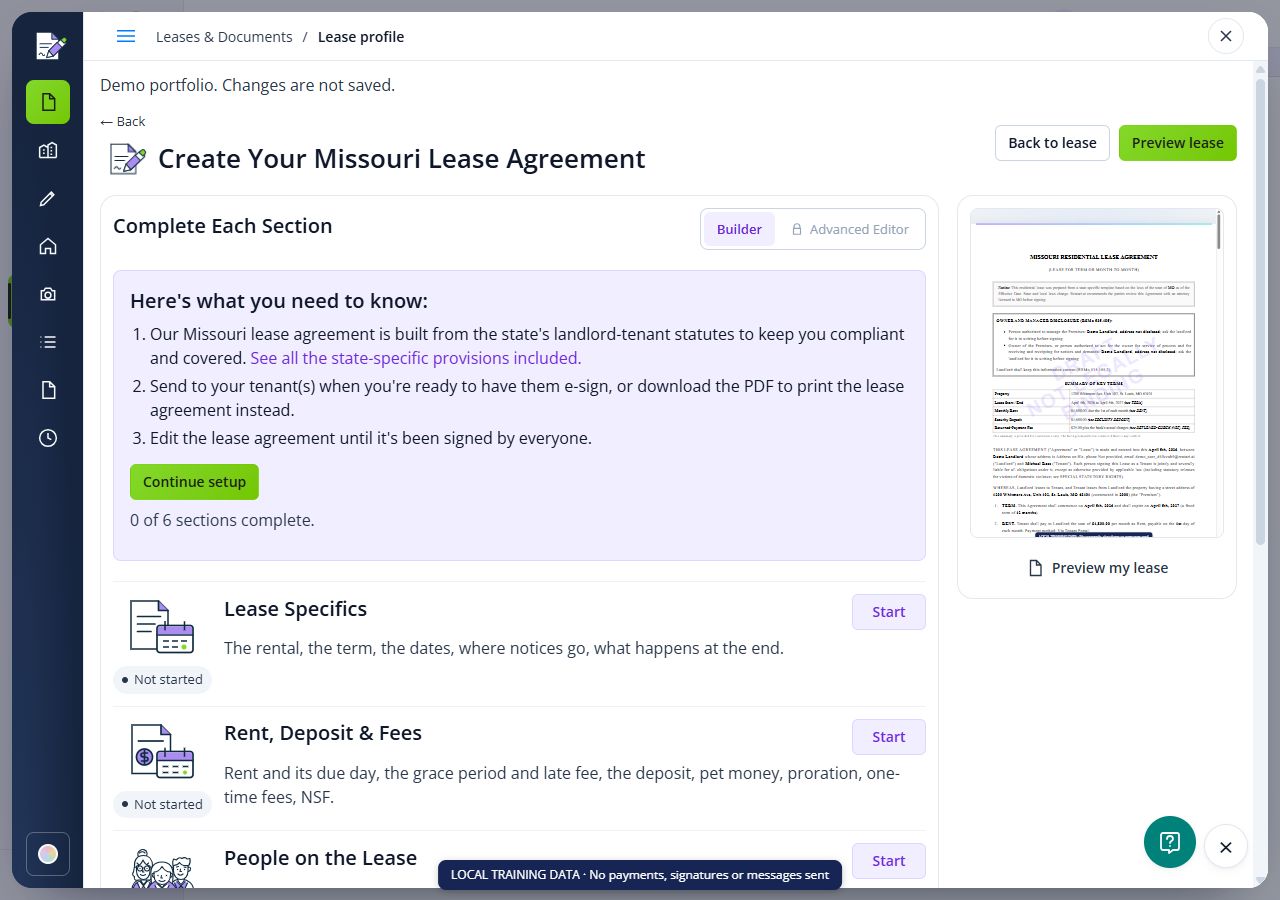
Open the correct lease
Go to Lease Profiles, choose the rental and open its Summary. Check the agreement version and whether it is a draft, waiting for signatures or completed.

Open or download the document
Use Open document or Download when available in the agreement area. For a stored document, locate it in Docs & E-Sign and use its available document actions. If a plan restriction appears, review it before continuing.
Print the file
Open the downloaded PDF in your browser or PDF reader and use its Print command. Check page size, orientation and the preview so clauses and signature pages are not cut off.
Keep the appropriate copy
Confirm that a completed signed copy contains the expected signatures and retain its signing record. Download or print any supporting files separately if they are not in the PDF. A printed draft is not evidence that the lease was signed.
Check the result
- Review the saved draft or document package and its actual signing status before taking the next step.
FAQs
Why does my printout have no signatures?
Check the document version and signature-request status. A generated draft or request still waiting on signers is different from the completed signed document.
Will downloading the lease send it to tenants?
No. Downloading produces your copy. Sending a signature request or sharing the document is a separate action.
What if Download is unavailable?
Check that the agreement was generated, that you have access to the selected document and that your plan permits the requested action. Read any message shown rather than creating another agreement.